Custom actions: connect your chatbot to your own systems
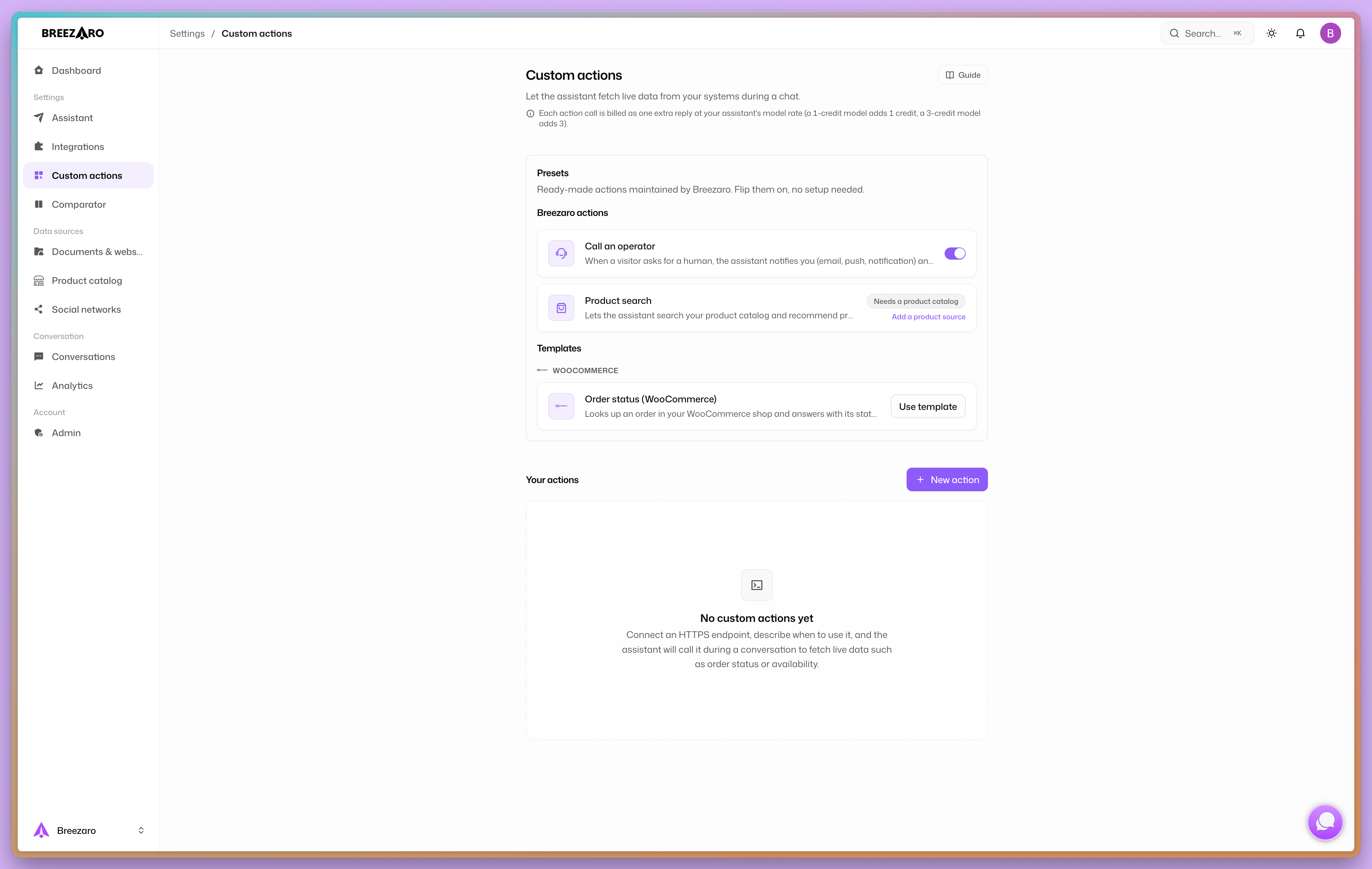
Custom actions let the assistant fetch live data from your systems and answer questions that static content cannot. An overview of what you can connect, plus what to watch out for.
A standard chatbot draws on what you taught it: website content, products, common questions. That covers most conversations. It cannot answer questions where a customer wants something specific and current about themselves: "where is my order?", "how many points do I have?", "is it in stock?". That data lives in your systems and changes all the time.
Custom actions close that gap. They connect the assistant to your API, so it fetches the data it needs live and answers on its own, no operator required.
How it works
The principle is simple and the same for any system with an HTTP API:
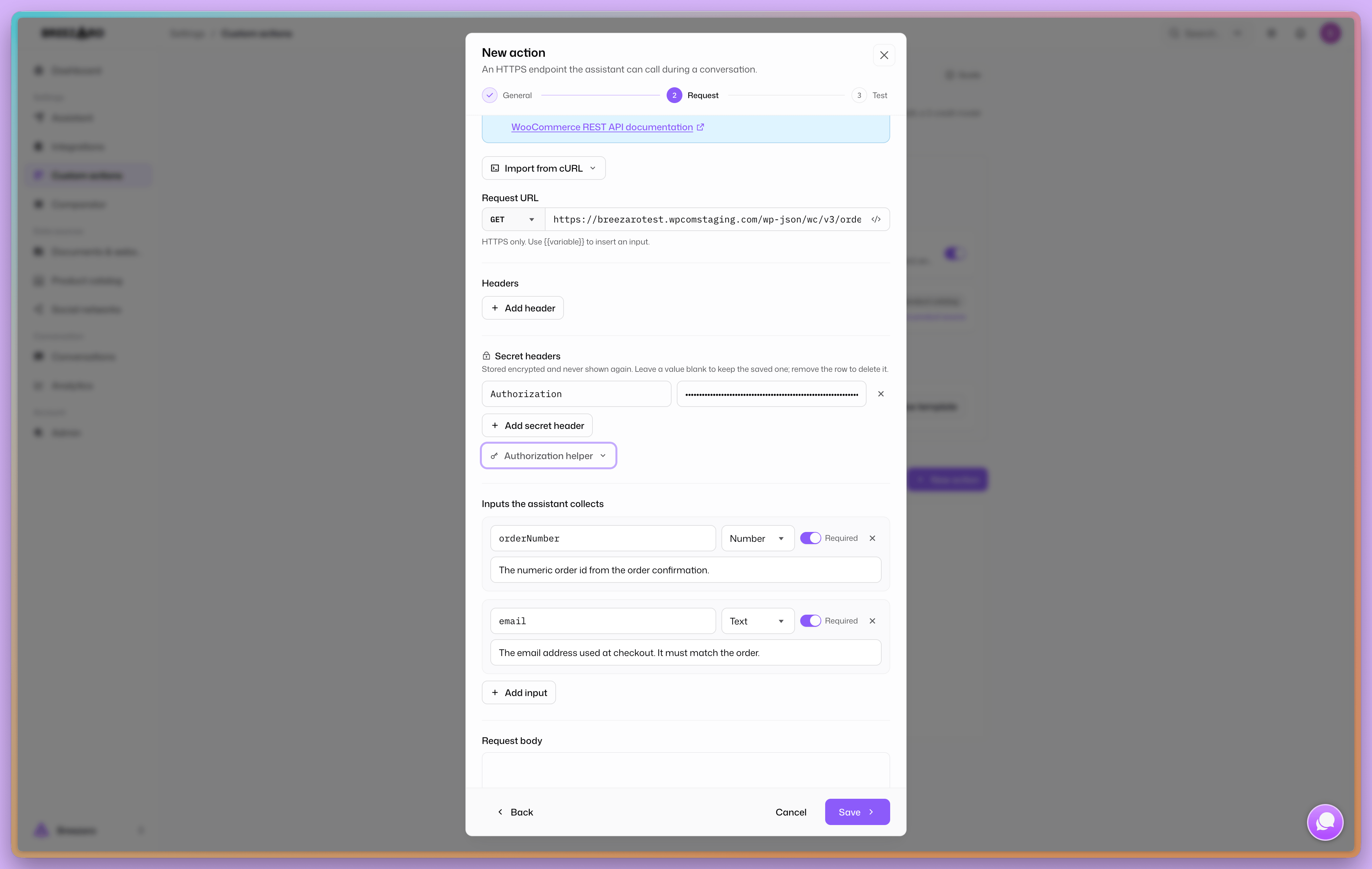
- Describe the call. Enter your API address and what it is for, so the assistant knows when to use it.
- Pick the fields. From the response you choose which fields the assistant may use. Nothing else reaches it.
- Add an ownership check (optional). For example the customer's email has to match the record, so nobody sees someone else's data.
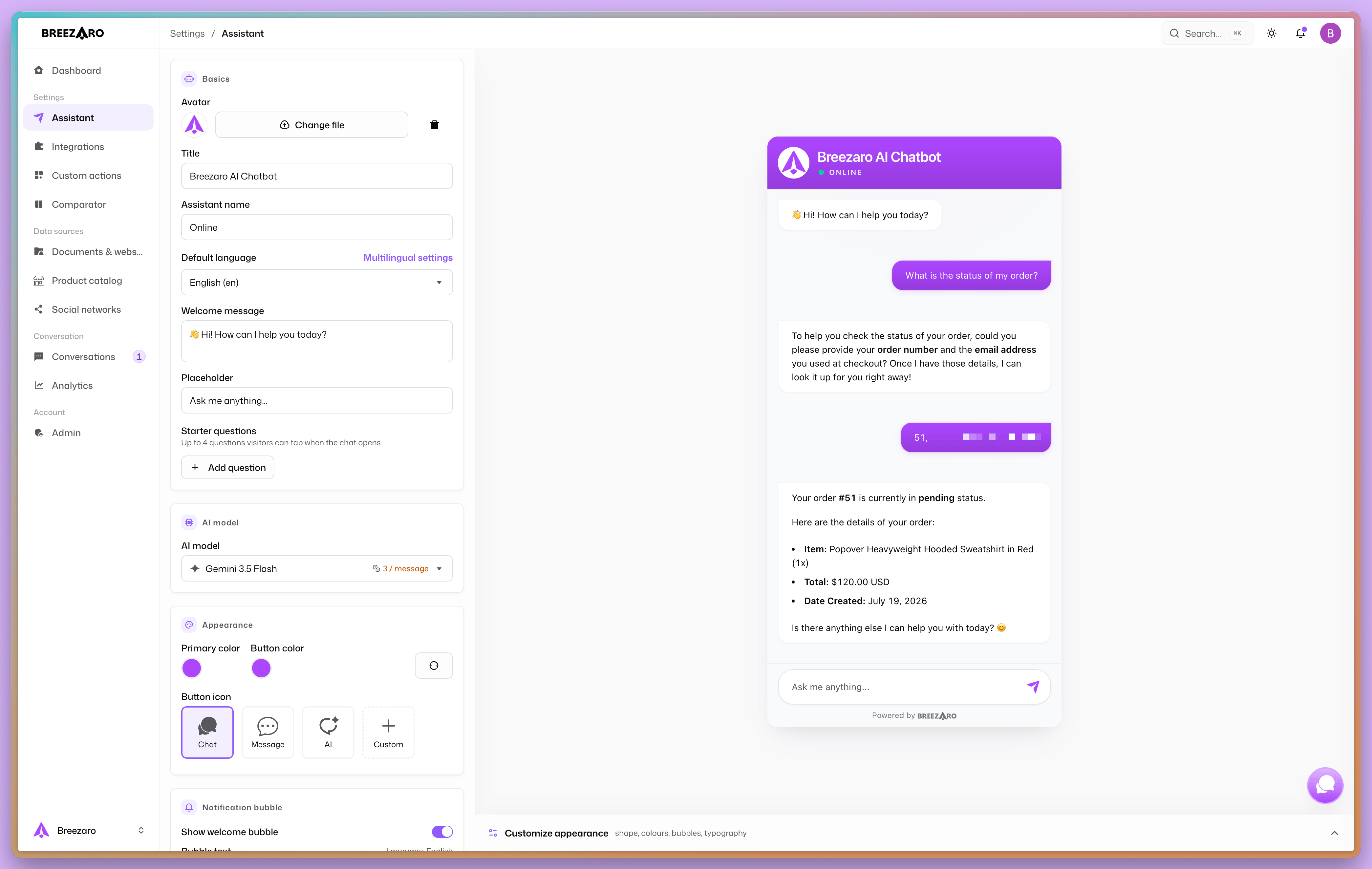
The assistant then calls the action on its own whenever it fits the conversation, and answers with current data.
What you can connect
Here are a few ideas that make sense. Treat them as inspiration; it always depends on what your particular system's API can do.
Today actions are best at reading data, that is looking something up and answering:
- Order status. "Where is order 1042?" The assistant fetches the status, items and total from your store. We have a ready-made template for WooCommerce.
- Shipment tracking. Connect to a carrier's API or to your own tracking-number field, so the customer does not have to retype codes.
- Availability and stock. "Do you have the blue T-shirt in size L?" An answer from your inventory, not a guess.
- Complaint or ticket status. The customer asks about a ticket number and gets the current status from your helpdesk.
- Loyalty points, credit, account balance. "How many points do I have?" after verifying identity.
- Free slots. "Do you have anything free on Thursday?" The assistant reads open slots from your booking calendar.
- Custom prices and quotes. An individual price or a rough quote from your pricing API.
The common thread: whenever an answer depends on data that changes and lives in your system, it is a candidate for a custom action.
Security is built in
Custom actions are designed so even a misconfigured action cannot do harm:
- Read only, HTTPS only to public addresses; an action cannot reach your internal network.
- Access keys are encrypted and never shown again after saving, not even to your team.
- The ownership check makes sure a customer only sees their own record.
- Field selection sends the assistant only what it needs.
- Calls are rate limited and an action can only be enabled after a passing test.
What it costs
Billing is simple: every action call is counted as one extra reply at your model's credit rate. A normal reply costs the model's rate; when the assistant also calls an action, the rate is added once more.
The formula: model rate × (1 + number of action calls in the reply).
A few examples:
- A 1-credit model. A reply with no action costs 1 credit. A reply where the assistant calls one action costs 2 credits.
- A 3-credit model. The same reply with one action call costs 6 credits: 3 for the reply and 3 for the action.
- Two actions in one reply. The assistant will not call more than two in a single reply, so the ceiling is three times the rate, that is 3 credits on a 1-credit model and 9 on a 3-credit one.
Worth being clear about: only real calls are billed. When the assistant answers from your content and calls no action, you pay nothing extra. Looking things up only makes sense when it is genuinely needed, and that is exactly how the assistant is set up.
What's next
We keep extending the functionality. Among the available capabilities:
- Write actions with confirmation, so not just reading but also creating a record, for example booking an appointment or submitting an enquiry straight from the conversation.
- Ready-made templates for the most common systems, so connecting takes just a few minutes.
- Advanced options around visitor verification, monitoring, and configuration.
For the full set of current options see the custom actions documentation.