Integration
Integrating the widget into Wix
This guide will show you how to easily add the Breezaro widget to your Wix website.
- No complex code changes required.
- Supports all Wix templates.
- Fast setup – under 5 minutes.
Step-by-step
Installation steps
Follow these steps to add the Breezaro widget to Wix.
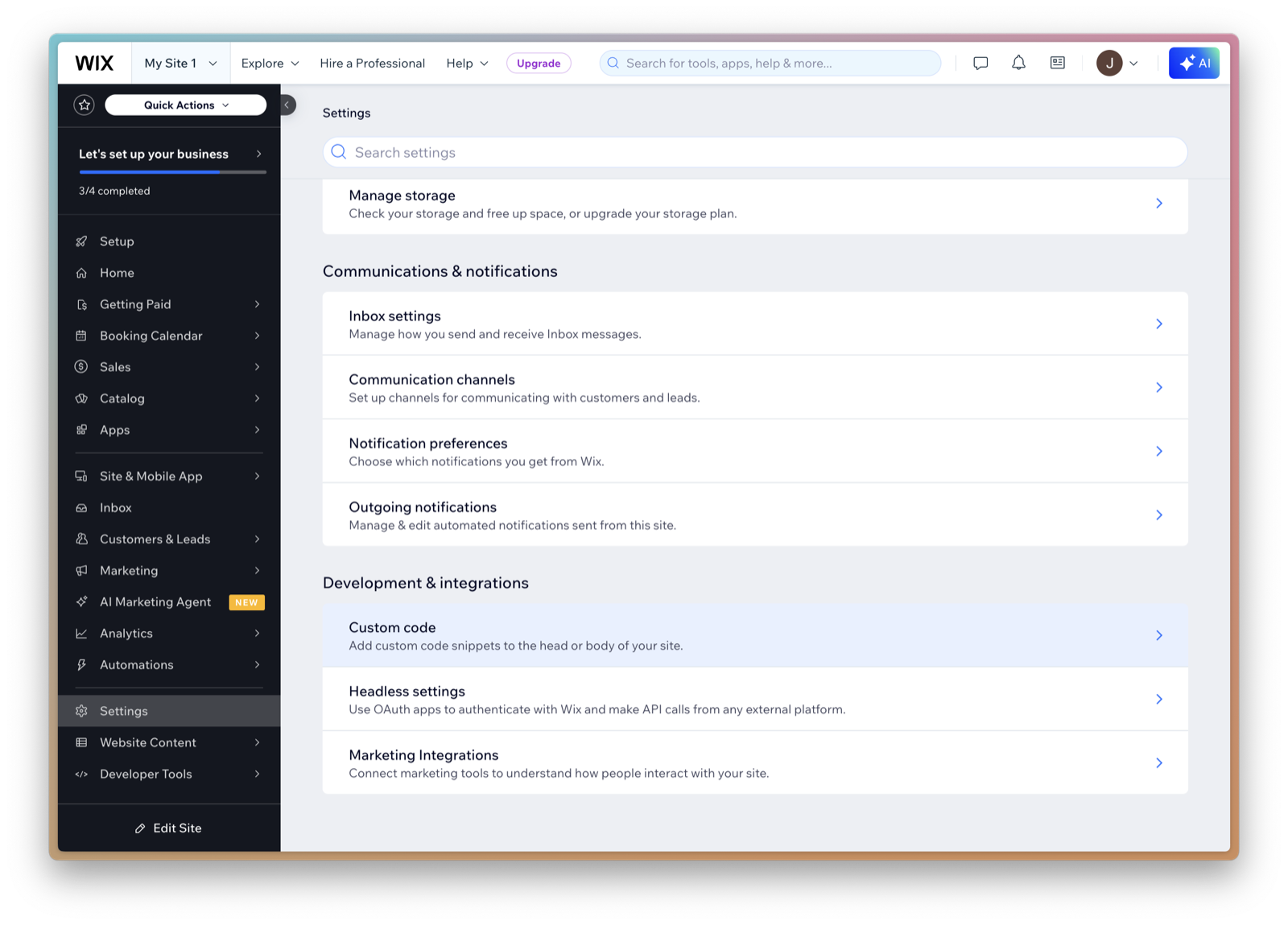
1. Open Settings → Custom code in the Wix editor
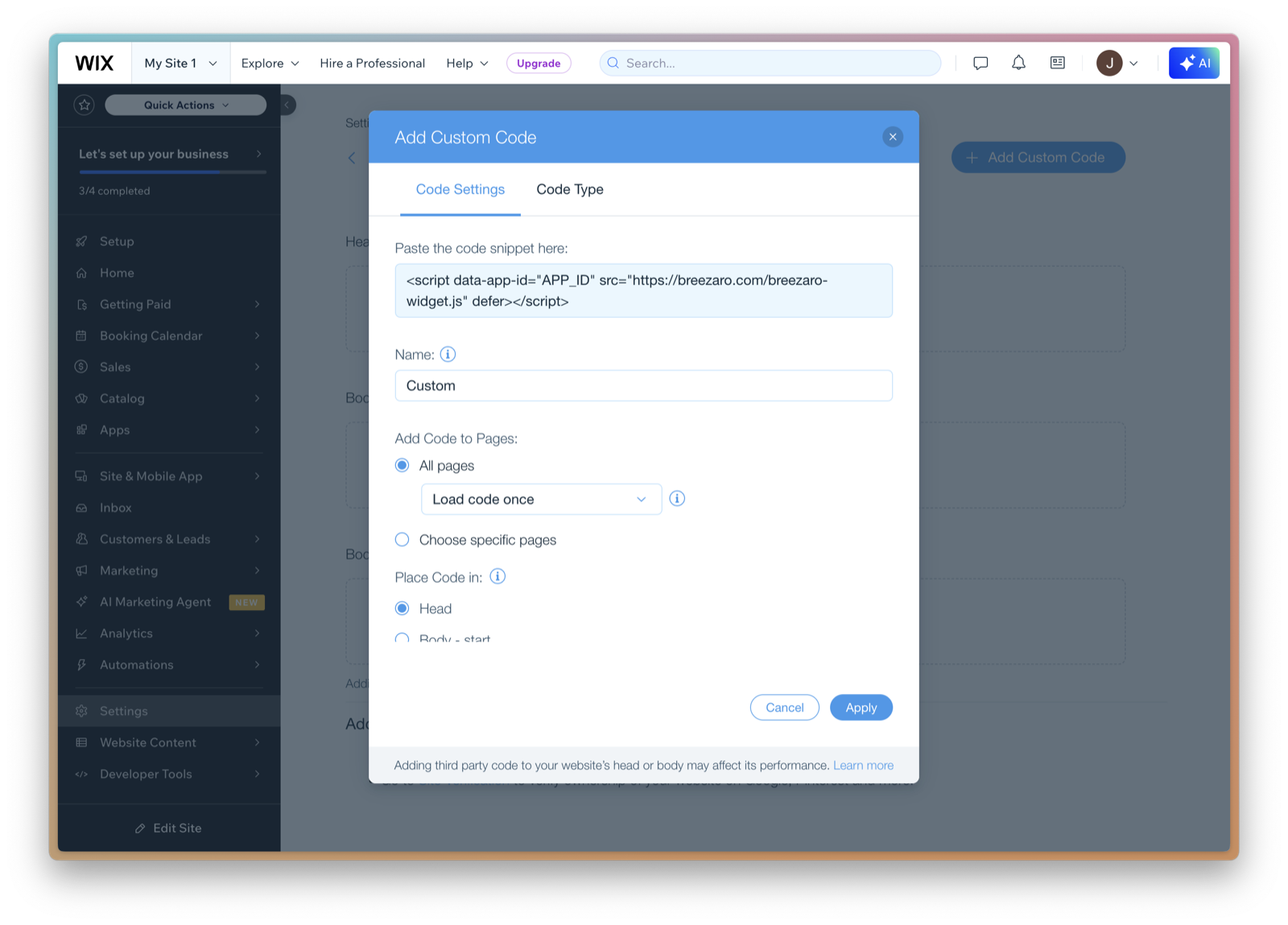
2. Click 'Add Custom Code' and paste the code
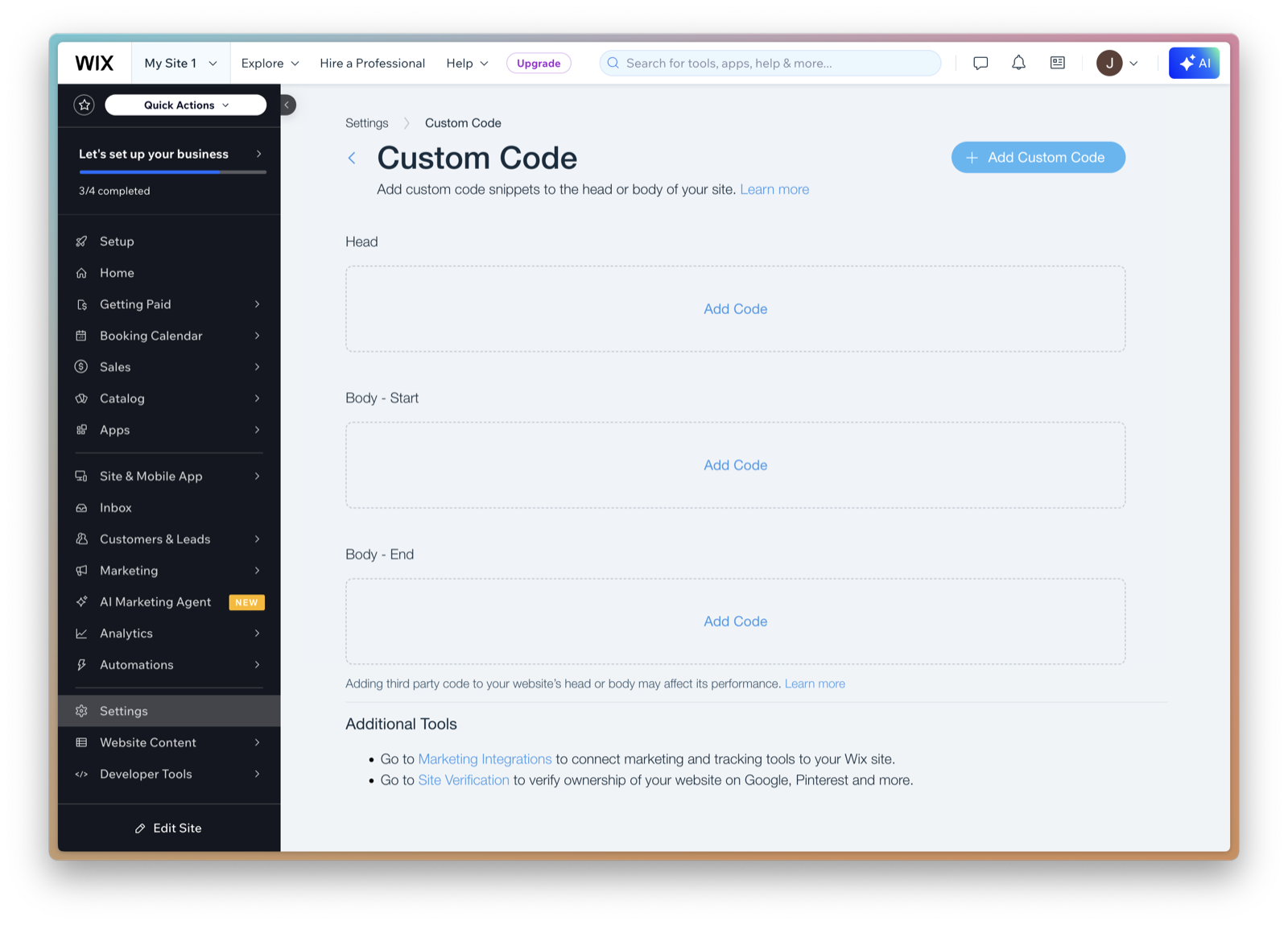
<script data-app-id="YOUR_APP_ID" src="https://breezaro.com/breezaro-widget.js" defer></script>
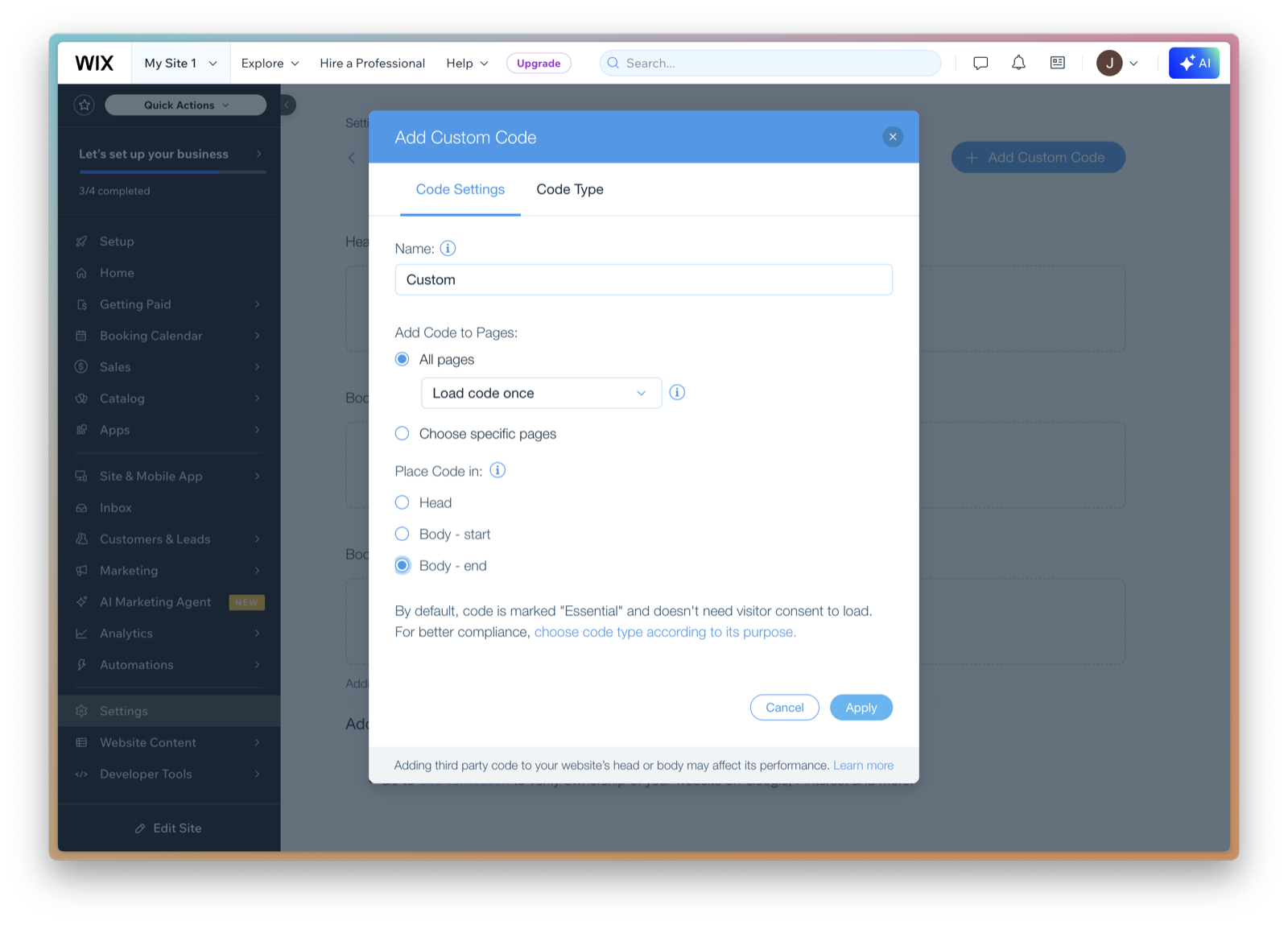
3. Choose to insert on all pages and set code placement
4. Save and publish changes