AI Model Comparator
The Comparator lets you test up to three AI models side-by-side with the same input — useful for choosing the right model for your assistant before saving it as the production model.
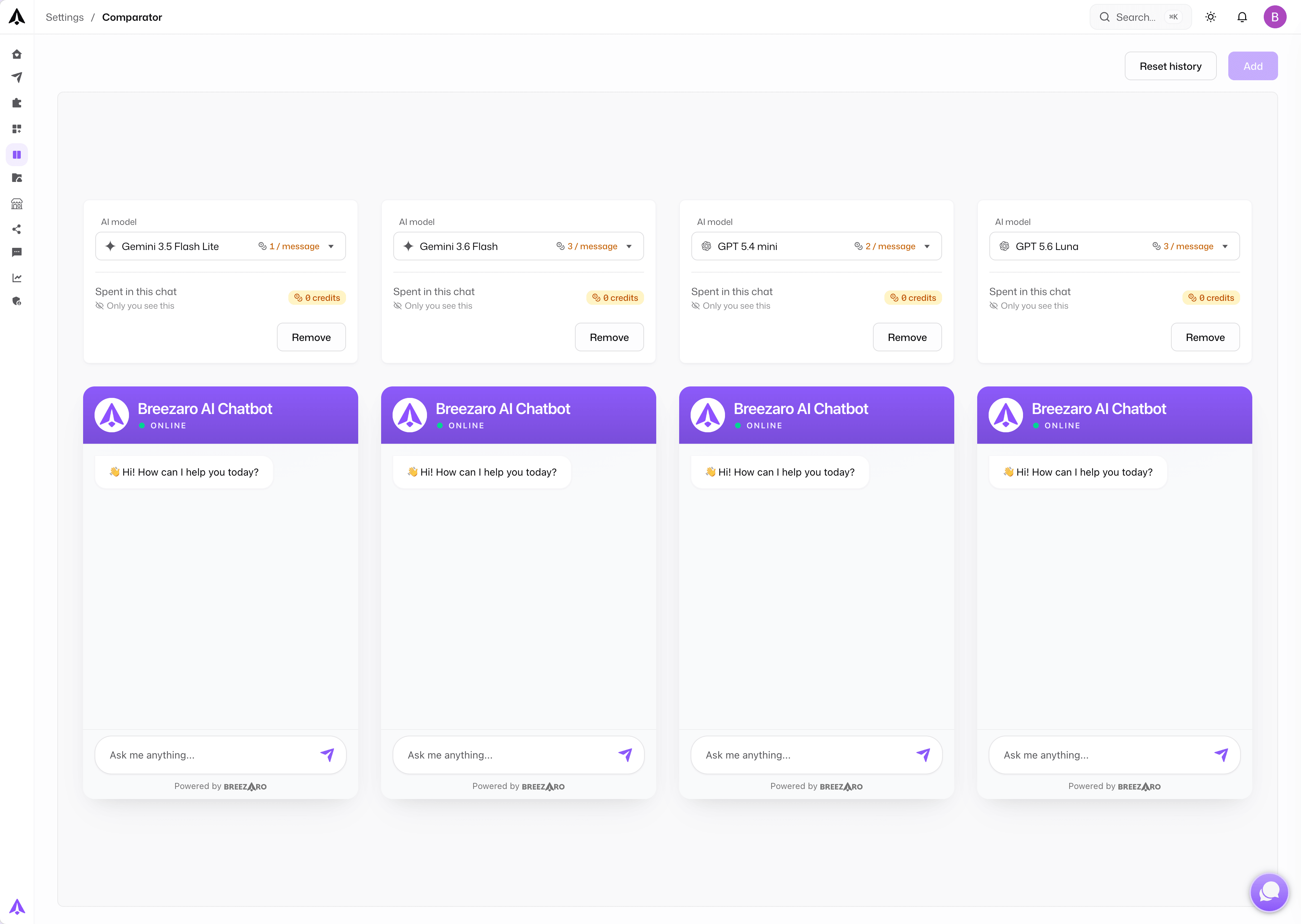
How to use the Comparator
- Go to Settings → Comparator
- Click ADD to open additional panels (up to three)
- In each panel, pick a model from the dropdown — GPT 5 mini, GPT 5.4 mini, GPT 5.6 Luna, Gemini 2.5 Flash, Gemini 3.5 Flash Lite, Gemini 3.6 Flash, Gemini 3.8 Flash
- Type a message in the shared input — every panel receives the same message and streams its model's response in parallel
| Model | Cost in credits |
|---|---|
| GPT 5 mini | 1 credit |
| GPT 5.4 mini | 2 credits |
| GPT 5.6 Luna | 1 credit |
| Gemini 2.5 Flash | 1 credit |
| Gemini 3.5 Flash Lite | 1 credit |
| Gemini 3.6 Flash | 3 credits |
| Gemini 3.8 Flash | 3 credits |
Use RESET HISTORY to clear all panels at once and start a fresh comparison.
How credits are counted
Each Submit click in the Comparator bills every open panel at its own model's rate — three standard panels with one input cost 3 credits, and a premium panel adds its higher rate instead. If a panel's reply uses an assistant action, such as a product search, that panel bills the extra model call too, just like a regular conversation.
Each reply that runs an action shows a credit chip like this — one model call plus every tool call, each at the model's rate.
Comparator messages stay out of your conversation history
Comparator runs are stored separately from real visitor conversations. They never appear in Conversation → History, the unread badge, or any operator inbox view. Use the Comparator as your testing playground without worrying about polluting your visitor data.