Adding the widget to your website
This guide shows how to add the Breezaro chat to any website by pasting a short snippet into your site's HTML.
- Works on any platform where you can edit HTML or add a custom code block.
- No development skills needed. Copy, paste, publish.
- Live in a few minutes.
Installation steps
Follow these steps to add the Breezaro widget to your website.
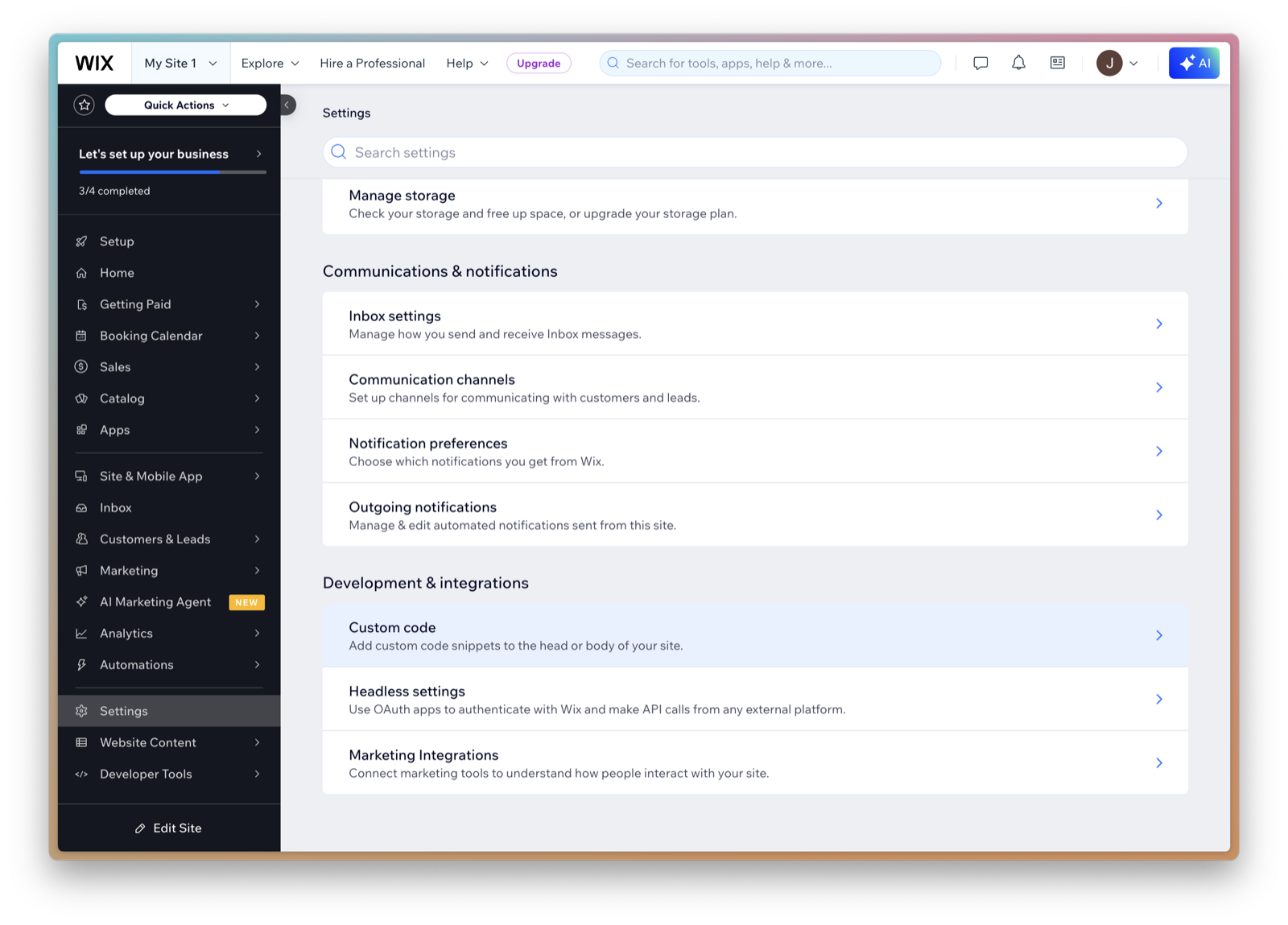
1. Open your site's HTML or custom code editor
2. Paste the Breezaro snippet
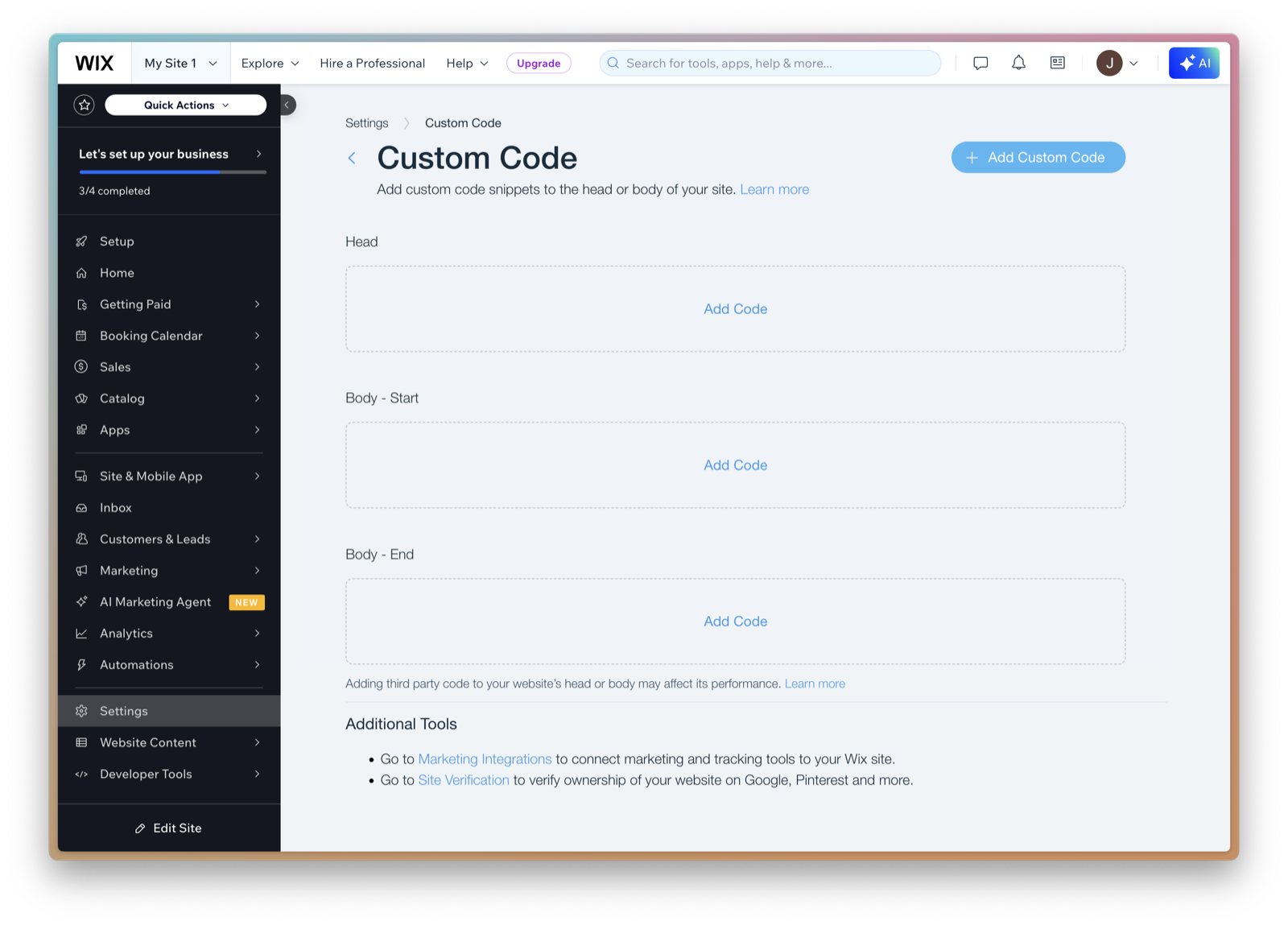
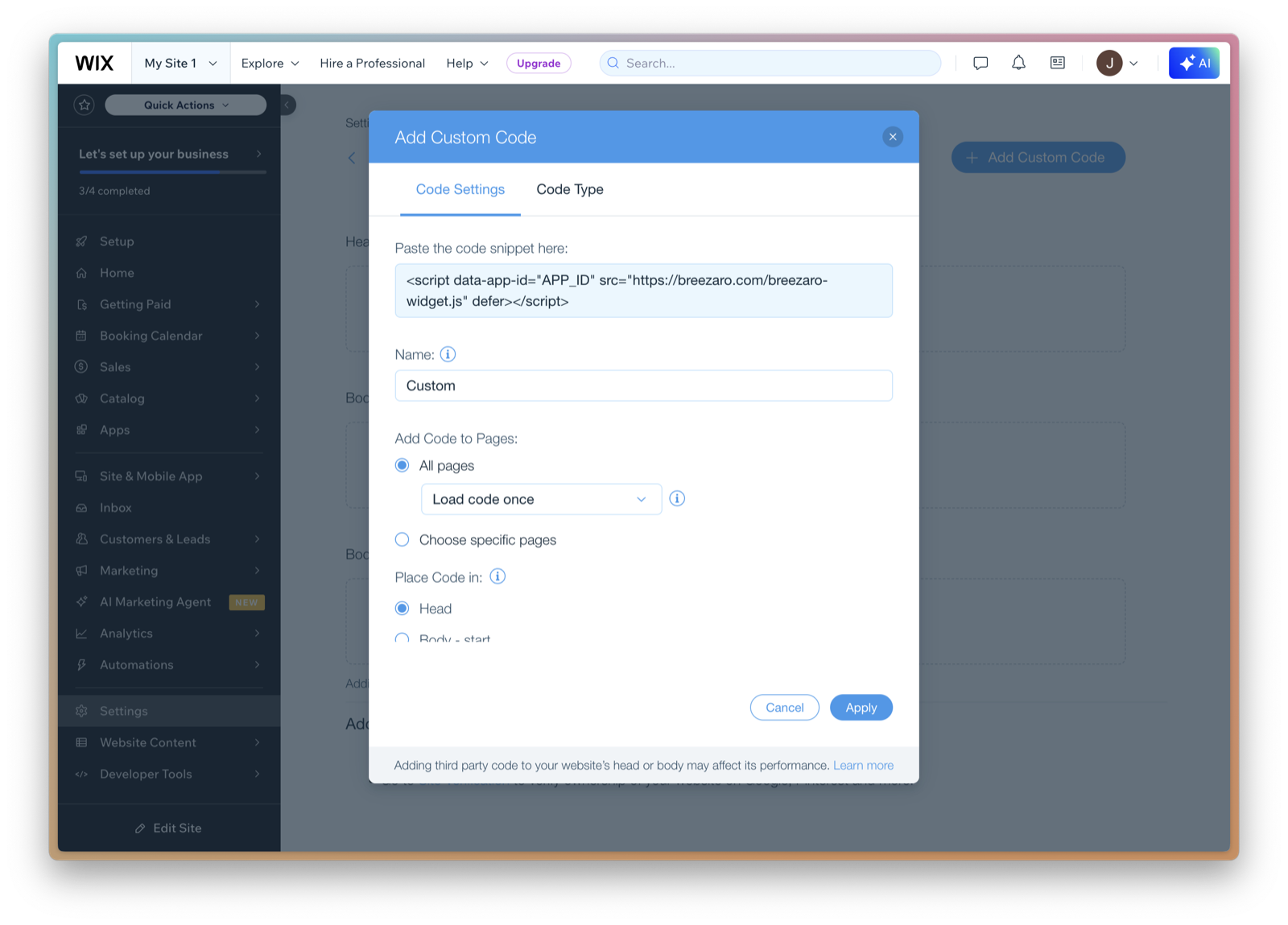
<script data-app-id="YOUR_APP_ID" src="https://breezaro.com/breezaro-widget.js" defer></script>
3. Insert it on every page, just before the closing body tag
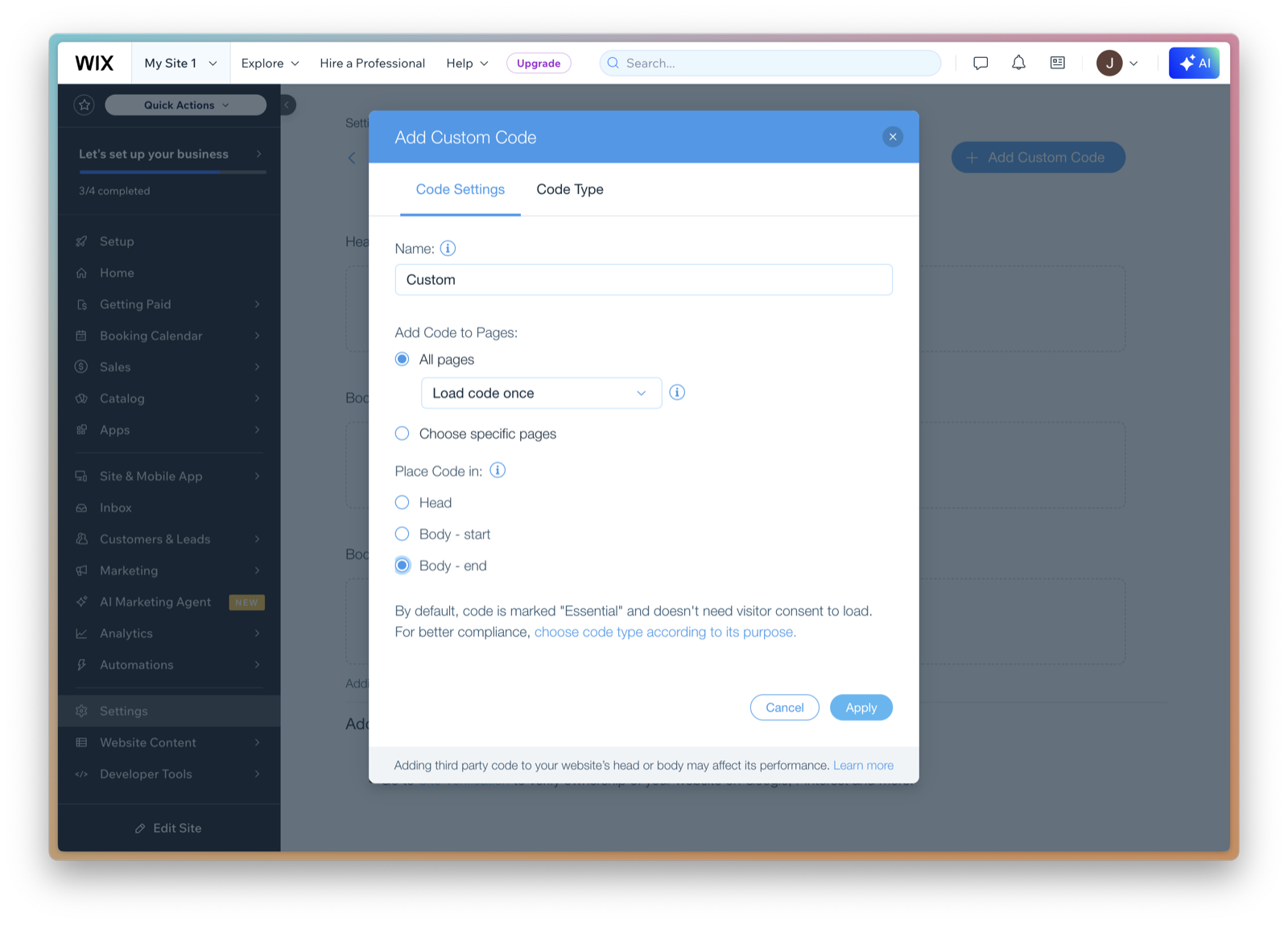
4. Save and publish
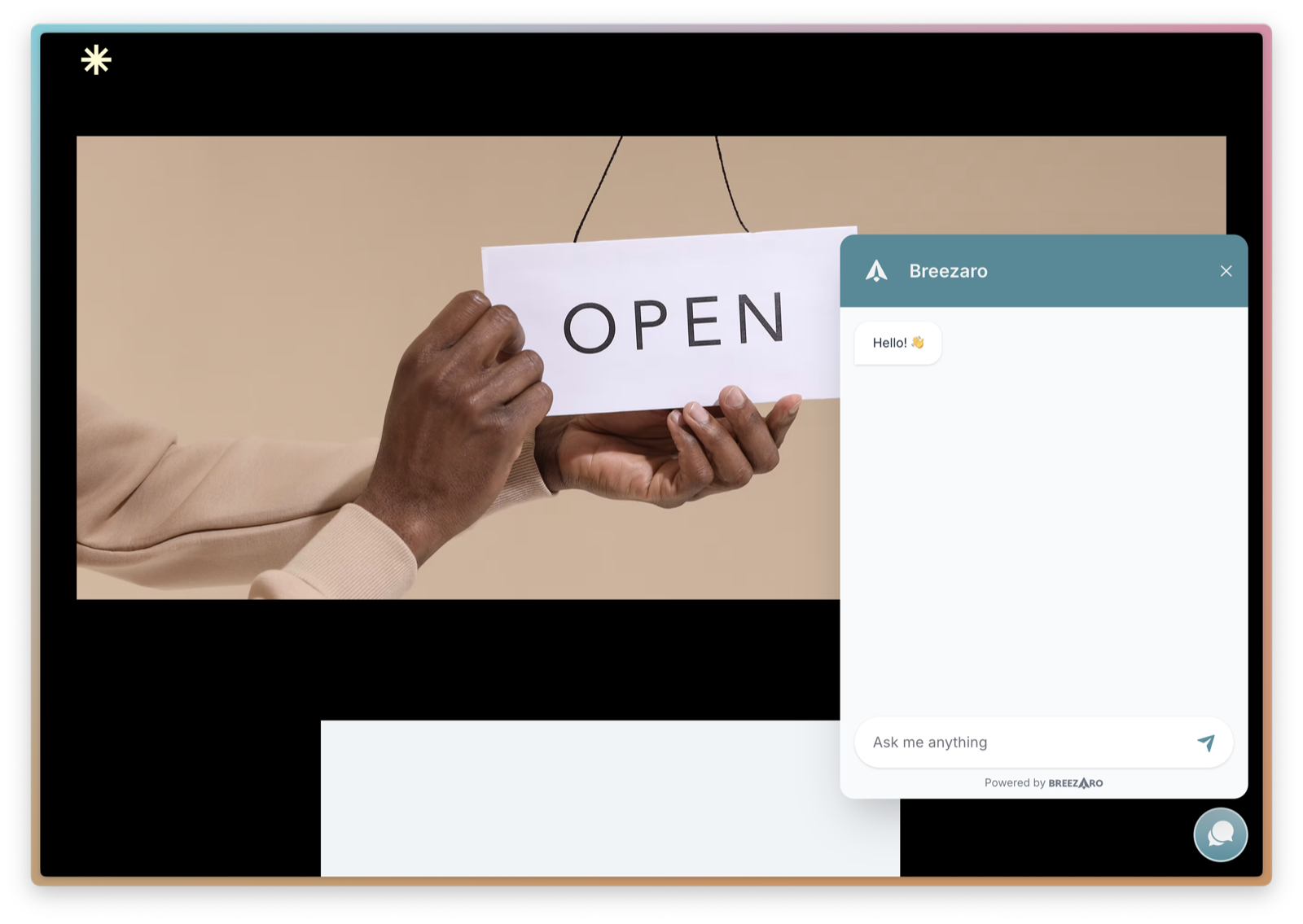
Driving the widget from your site
The widget exposes a small JavaScript API. Use it to open the chat from your own button, or to tell the assistant who the signed-in visitor is.
- identify
- Signs a visitor in so the assistant can act on their verified identity. For backward compatibility, identify still accepts a resetId-only tag, but new integrations should always pass both resetId and resetAt.
- open
- Opens the chat window.
- close
- Closes the chat window.
- reset
- Ends the conversation the current identity is bound to. Call it on logout or account switch. Its acknowledgement reports durable; a usable resetId and resetAt pair is returned only when the reset marker was written. After a reset, an untagged identify is refused until the page reloads, so pass the returned pair when you identify again on the same page.
- setContext
- Replaces or clears a temporary, unverified cart snapshot that the assistant can use with the visitor's next messages. A tagged setContext is a claim about the full generation: resetId without resetAt is refused. After a reset, pass both as the fourth argument when setting context again on the same page.
- setPosition
- Dynamically sets the position or offset of the chat launcher button and window (e.g., when a cookie banner or floating bar is visible). Pass x and y to add a dynamic shift, or offsetX, offsetY, position to override. Pass zero offsets or null to return to default settings.
Calling after the widget has loaded
Once the loader script has run, window.breezaro is ready and you can call any command directly. This is the usual case for a single-page app, or when the visitor signs in without a full page reload.
breezaro('open');Calling before the widget has loaded
If the call has to happen earlier, for example when the page is rendered server-side and already knows who the visitor is, put the queue stub above the loader script. It records the calls and replays them once the widget is ready.
<script>
const BREEZARO_APP_ID = 'YOUR_APP_ID';

function breezaroResetGeneration() {
  try {
    const reset = JSON.parse(
      localStorage.getItem('breezaro-widget_reset_' + BREEZARO_APP_ID),
    );

    if (typeof reset?.id !== 'string' || !reset.id) {
      return { resetId: null, resetAt: null };
    }

    return {
      resetId: reset.id,
      resetAt: Number.isFinite(reset.at) ? reset.at : null,
    };
  } catch {
    return { resetId: null, resetAt: null };
  }
}

  window.breezaro =
    window.breezaro ||
    function () {
      (window.breezaro.q = window.breezaro.q || []).push(arguments);
    };
  breezaro('open');

  // Queue 'identify' only WITH the current reset generation. An untagged queued
  // identify is refused once this browser has ever signed out, because
  // nothing bounds when it was pushed.
  breezaro('identify', identity, undefined, breezaroResetGeneration());
</script>Dynamic positioning (e.g. cookie banner)
When your page displays a floating cookie banner, notification bar, or mobile toolbar, you can dynamically adjust the widget position so it does not overlap. When the banner closes, easily restore it.
Pass x and y to add a relative shift to the configured offsets. For example, y: 80 moves the widget 80 px higher. Passing x: 0, y: 0 smoothly returns the widget to its exact configured default.
You can also specify absolute overrides like offsetX, offsetY, or change the corner anchor with position. Calling resetPosition or passing null resets all overrides.
// 1. Relativní posun nahoru při zobrazení cookie lišty (např. výška 80px):
breezaro('setPosition', { y: 80 });

// 2. Návrat na výchozí pozici po zavření cookie lišty:
breezaro('setPosition', { x: 0, y: 0 });

// 3. Alternativně můžete použít i přímé nastavení rohové pozice nebo absolutního odsazení:
breezaro('setPosition', {
  position: 'bottom-left', // 'bottom-right' | 'bottom-left' | 'top-right' | 'top-left'
  offsetX: 24,
  offsetY: 80,
});

// 4. Kompletní reset všech dynamických přepisů do původního stavu z administrace:
breezaro('resetPosition');
Adding the current cart as context
Use setContext version 1 when you want the assistant to understand what is currently in the visitor's cart. Pass one complete snapshot. Every valid call replaces the previous snapshot in full; fields are never merged. Pass null or an empty object to clear it.
The payload is strict: version must be 1. cart accepts only currency, subtotal, total, and items; currency and items are required. Each item accepts only id, sku, name, variant, quantity, unitPrice, and url; name and quantity are required. Prices are non-negative finite numbers in the currency unit named by currency, not minor units. URLs must be absolute HTTP or HTTPS URLs; query parameters and fragments are removed before the URL reaches the assistant. A snapshot may contain up to 20 items, and its complete escaped prompt block must fit within 8 KiB of UTF-8. Unknown fields are rejected.
The widget can also start a fresh conversation from its own New Conversation control. Listen for the breezaro:conversation-changed event and apply the current cart again with both resetId and resetAt from event.detail. Capture both values before any asynchronous cart load and pass them as the fourth argument, so a later reset refuses an outdated response even if it reuses the same id.
const BREEZARO_APP_ID = 'YOUR_APP_ID';

function breezaroResetGeneration() {
  try {
    const reset = JSON.parse(
      localStorage.getItem('breezaro-widget_reset_' + BREEZARO_APP_ID),
    );

    if (typeof reset?.id !== 'string' || !reset.id) {
      return { resetId: null, resetAt: null };
    }

    return {
      resetId: reset.id,
      resetAt: Number.isFinite(reset.at) ? reset.at : null,
    };
  } catch {
    return { resetId: null, resetAt: null };
  }
}

async function onContextResult(snapshot, result, mayRetry) {
  if (result?.ok) return;

  if (
    !mayRetry ||
    result?.reason !== 'reset' ||
    typeof result.resetId !== 'string' ||
    (!Number.isFinite(result.resetAt) && result.resetAt !== null)
  ) {
    console.warn('Breezaro setContext failed:', result?.reason);
    return;
  }

  const generation = { resetId: result.resetId, resetAt: result.resetAt };

  try {
    const clearsContext =
      snapshot === null ||
      (typeof snapshot === 'object' &&
        snapshot !== null &&
        !Array.isArray(snapshot) &&
        Object.keys(snapshot).length === 0);

    // A cart snapshot may belong to the pre-reset account. Fetch it again;
    // either documented clear shape carries no account data.
    const currentSnapshot = clearsContext
      ? null
      : await fetch('/my-api/cart').then((response) => response.json());

    applyCartContext(currentSnapshot, generation, false);
  } catch {
    console.warn('Breezaro cart refresh failed');
  }
}

function applyCartContext(snapshot, generation, mayRetry = true) {
  window.breezaro(
    'setContext',
    snapshot,
    (result) => void onContextResult(snapshot, result, mayRetry),
    generation ?? breezaroResetGeneration(),
  );
}

function clearCartContext() {
  applyCartContext(null);
}

const cartSnapshot = {
  version: 1,
  cart: {
    currency: 'CZK',
    subtotal: 1490,
    total: 1390,
    items: [
      {
        id: 'product-123',
        sku: 'WREATH-NATURAL',
        name: 'Natural wreath',
        variant: '40 cm',
        quantity: 1,
        unitPrice: 1390,
        url: 'https://shop.example.com/products/natural-wreath',
      },
    ],
  },
};

applyCartContext(cartSnapshot);

window.addEventListener('breezaro:conversation-changed', async (event) => {
  const { appId, resetId, resetAt } = event.detail ?? {};

  if (
    appId !== BREEZARO_APP_ID ||
    typeof resetId !== 'string' ||
    !Number.isFinite(resetAt)
  ) return;

  // Capture BOTH values before this round trip. A later reset may reuse its id,
  // and resetAt still makes the outdated snapshot fail closed.
  const resetGeneration = { resetId, resetAt };
  const snapshot = await fetch('/my-api/cart').then((response) =>
    response.json(),
  );

  applyCartContext(snapshot, resetGeneration);
});
The snapshot stays only in memory in the current browser tab. It is not stored in browser storage or shared with other tabs, so your site must set it again after a full page reload. Calling reset clears it; call reset on logout or account switch. Read the current resetId and resetAt before any asynchronous cart load and pass both as the fourth argument to setContext. If a reset lands while the load is in flight, the late snapshot is refused. The rejection acknowledgement returns the current pair when it is readable; the example fetches the cart again under that generation and retries once. It never reuses a pre-reset snapshot or loops. Clearing context retries null directly and does not fetch a cart. After any reset, every runtime setContext call on the same page must carry the exact pair until the page reloads. A queued call must also carry it whenever this browser has a reset marker. Calling setContext itself sends no API request and makes no LLM call; the latest snapshot is included with each visitor message until you replace or clear it.
Refreshing the signature on a long-lived page
The window is checked when the widget posts the payload, not when you call identify. A visitor who loads a page, leaves the tab in the background and opens the chat hours later presents an hours-old signature, and it is refused — the assistant asks them for an e-mail code instead.
Ordinary browsing refreshes it for free, because every page load mints a new signature. A single-page app, or a page left open all afternoon, does not. Fetch a fresh one from your own backend and call identify again when the tab comes back to the foreground.
Read the reset generation before the request goes out and hand it back as the fourth argument. A sign-out that lands while the request is in flight moves that generation, and the widget then refuses the late payload instead of writing the previous account's identity into the conversation the next visitor already has open.
const BREEZARO_APP_ID = 'YOUR_APP_ID';

function breezaroResetGeneration() {
  try {
    const reset = JSON.parse(
      localStorage.getItem('breezaro-widget_reset_' + BREEZARO_APP_ID),
    );

    if (typeof reset?.id !== 'string' || !reset.id) {
      return { resetId: null, resetAt: null };
    }

    return {
      resetId: reset.id,
      resetAt: Number.isFinite(reset.at) ? reset.at : null,
    };
  } catch {
    return { resetId: null, resetAt: null };
  }
}

document.addEventListener('visibilitychange', async () => {
  if (document.visibilityState !== 'visible') return;

  // Read the generation BEFORE the round trip, not after it.
  const resetGeneration = breezaroResetGeneration();

  // Your own endpoint: it signs a fresh payload server-side, where the
  // secret lives, and returns { email, name, externalId, issuedAt, nonce, hmac }.
  const identity = await fetch('/my-api/breezaro-identity').then((r) => r.json());

  breezaro('identify', identity, undefined, resetGeneration);
});
Reset the widget when the visitor signs out
Call reset the moment someone signs out, then complete your own sign-out regardless of the widget's answer: a blocked or unmounted loader must never trap the visitor in a session they ended. A successful acknowledgement has ok set to true and reports durable; a usable resetId and resetAt pair is returned only when the reset marker was written. The sign-out example navigates away, so it only checks durable; code that stays on the page should use a returned pair. If the reset is not confirmed as durable within a short timeout, write a fresh reset marker to the widget's reset key yourself, as the example does, so the next page load starts a clean conversation. Reset as well whenever the signed-in person changes or a session expires.
const BREEZARO_APP_ID = 'YOUR_APP_ID';

async function signOut() {
  // Ask the widget to reset, then sign out no matter what it answers: a blocked
  // or unmounted loader must never trap the user in a session they ended.
  const resetResult = await new Promise((resolve) => {
    const done = setTimeout(() => resolve(null), 500);
    const finish = (result) => {
      clearTimeout(done);
      resolve(result);
    };

    // Missing or broken loaders enter the durable fallback immediately; the
    // timeout covers a mounted widget that never answers.
    if (typeof window.breezaro !== 'function') {
      finish(null);
      return;
    }

    try {
      window.breezaro('reset', undefined, finish);
    } catch (_) {
      finish(null);
    }
  });

  // A successful reset also returns resetId and resetAt for calls that continue
  // on this page. Sign-out navigates away, so only durable matters here.
  // If the widget could not confirm a durable reset (ad blocker, storage error,
  // never mounted), write the marker the loader reads on the next load so the
  // next visitor starts a clean conversation instead of restoring this one.
  if (!resetResult?.ok || !resetResult.durable) {
    try {
      localStorage.setItem(
        'breezaro-widget_reset_' + BREEZARO_APP_ID,
        JSON.stringify({ id: crypto.randomUUID(), at: Date.now() }),
      );
    } catch (_) {}
  }

  await fetch('/my-api/sign-out', { method: 'POST' });
  window.location.assign('/');
}