Customize your chat widget to match your brand (2026)
Breezaro's chat widget is customizable end to end, from colors and style to fonts, bubbles and the launcher. And what you set in the dashboard preview is exactly what your visitors see. Here's how to make it yours.
A chat widget that clashes with your site looks bolted-on, and visitors trust it less. Breezaro's widget is customizable end to end, so it can feel like a native part of your brand instead of a third-party box. Better still: what you set in the dashboard preview is exactly what your visitors get. The preview and the live widget render from the same code, so there are no surprises after you embed it.
Start with your brand color
The fastest win. Set your primary color and it flows through the chat, so visitor message bubbles, accents and the header tint all pick it up. The launcher button has its own color too: sync it to the primary in one click, or set a contrasting shade.
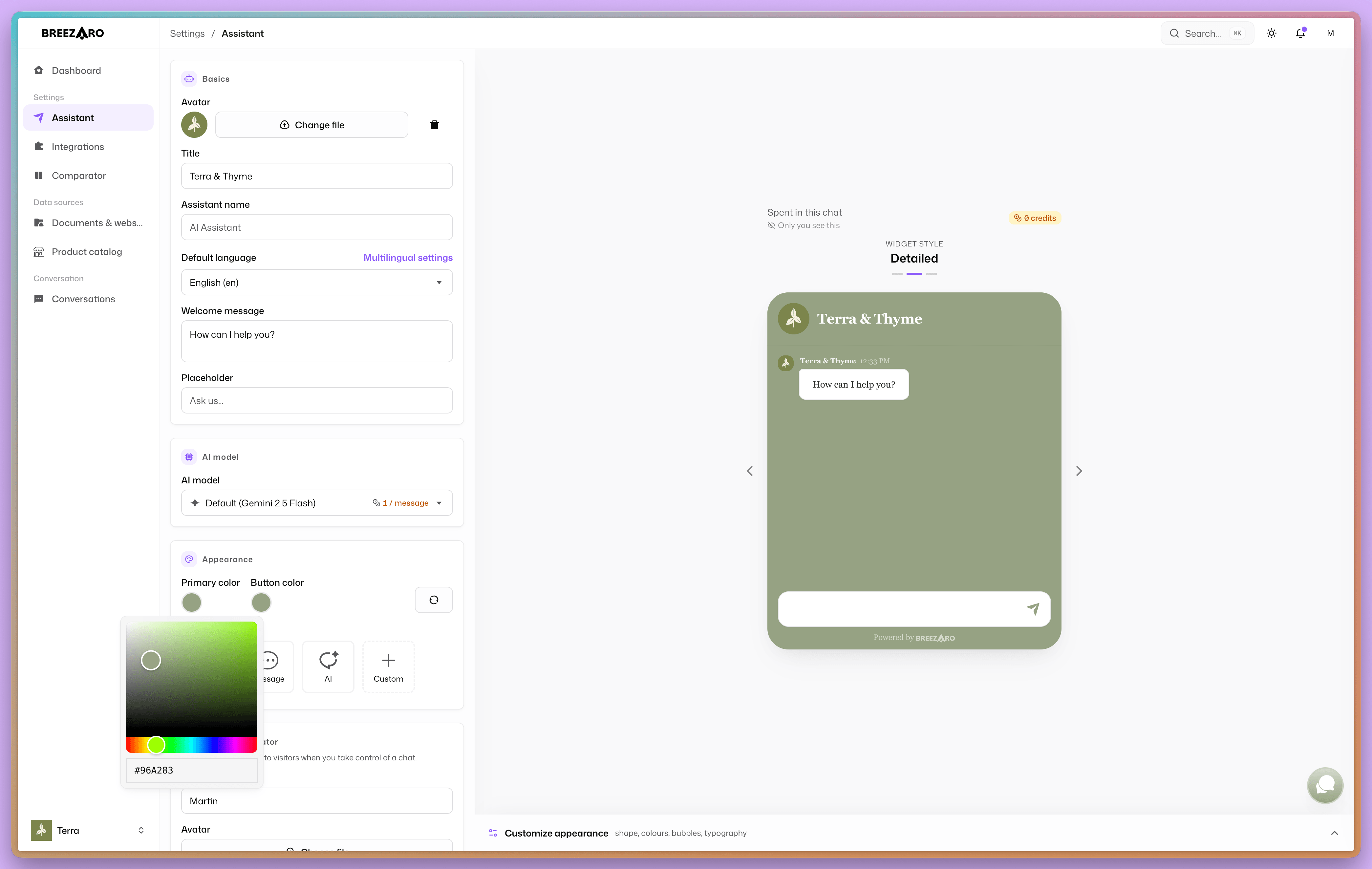
Pick a style that fits
Three window styles set the overall feel:
- Classic. Friendly, rounded, approachable.
- Detailed. A support-desk look with avatars, names and timestamps.
- Minimal. Clean and sharp, minimal chrome.
Fine-tune the details
Each style is a starting point you can adjust:
- Shape. Window and bubble corner radius, from sharp to fully rounded.
- Colors. Chat background, and the bot and visitor bubble colors.
- Depth. Bot and visitor bubble shadows, plus an optional speech-bubble tail.
- Typography. Font (sans, serif or mono) and text size.
- Spacing. Density: compact, normal or comfortable.
- Per-message identity. Show or hide the sender name, timestamp and avatar, and set the avatar shape (circle, rounded or square).
Everything updates in the live preview as you go.
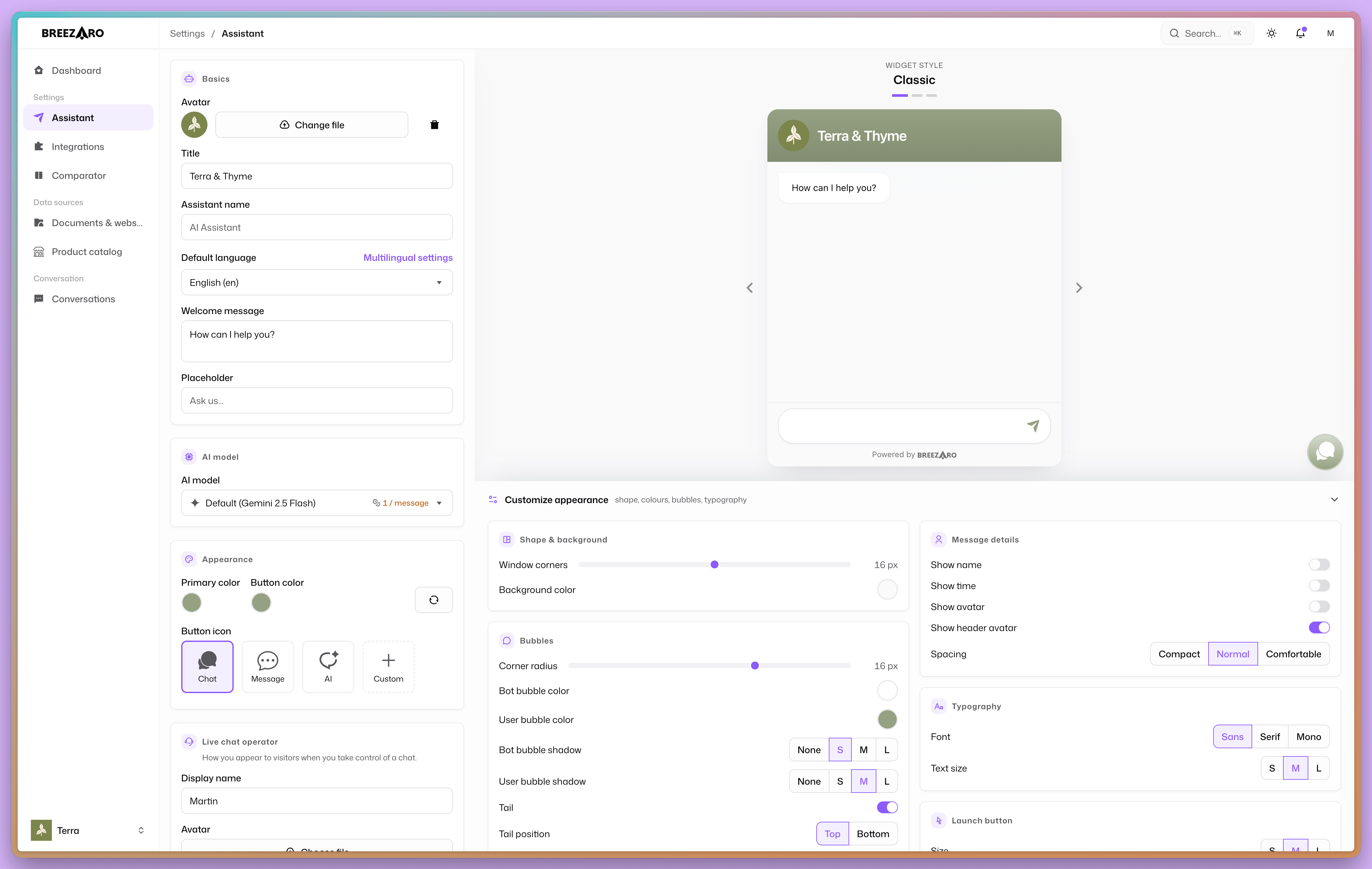
Place the launcher
The button visitors tap is configurable too:
- Icon. A chat, message or sparkle icon, or upload your own.
- Size. Small, medium or large.
- Position. Any of the four screen corners, with a custom offset so it clears your other on-page elements like cookie bars or back-to-top buttons.
Speak your visitor's language
Set a welcome message and input placeholder per language. The bot already replies in the visitor's language; a localized greeting makes the first impression match.
Remove our branding (optional)
By default the widget shows a small "Powered by Breezaro". There are two ways to remove it and run a fully unbranded widget: it is included on the Business plan, or you can buy it as an add-on to any lower plan. Trials keep the badge.
The appearance settings themselves, everything above, are unrestricted on every plan here. That is usually the same elsewhere. The difference shows up at the badge, and it is not that we remove it for free, it is how early you are allowed to touch it at all:
| Removing the widget badge | |
|---|---|
| Breezaro | included on the Business plan, or as an 18.99 US$/mo add-on to any plan, including the cheapest at 8.99 US$/mo |
| Tidio Free and Starter (24.17 US$/mo) | not available at any price |
| Tidio Growth (49.17 US$/mo) | only with a 16.67 US$/mo add-on |
| Tidio Plus (from 300 US$/mo) | included |
The cheapest route to an unbranded widget here is therefore 27.98 US$/mo, that is Basic at 8.99 plus the 18.99 add-on. With Tidio it is 65.84 US$/mo, because you may not buy their add-on below the Growth plan.
(From Tidio's public pricing page, current as of 17 August 2026.)
What you see is what your visitors get
This is the part worth underlining. The dashboard preview isn't an approximation. The live widget on your site renders from the exact same styling code as the preview, so once you're happy with it, embed the one-line snippet and your visitors see precisely what you designed.
FAQ
Do I need a developer to customize the widget? No. Everything is point-and-click in the dashboard, with a live preview. Embedding is a single line of JavaScript.
Will my customizations actually show on my live site? Yes. The live widget and the dashboard preview use the same rendering code, so the preview is exactly what visitors see.
Can I remove the "Powered by Breezaro" badge? Yes. It is included on the Business plan, or you can buy it as an add-on to a lower plan. Trials keep the badge.
Can I style different widgets for different sites? Each bot has its own appearance settings, so you can run a differently-styled widget per bot.
A widget that matches your brand earns more trust and more conversations. Set your colors, pick a style, fine-tune the details, and what you see in the preview is exactly what your visitors get.
Related: Customization (docs) · AI chatbots for customer support (the complete guide).